
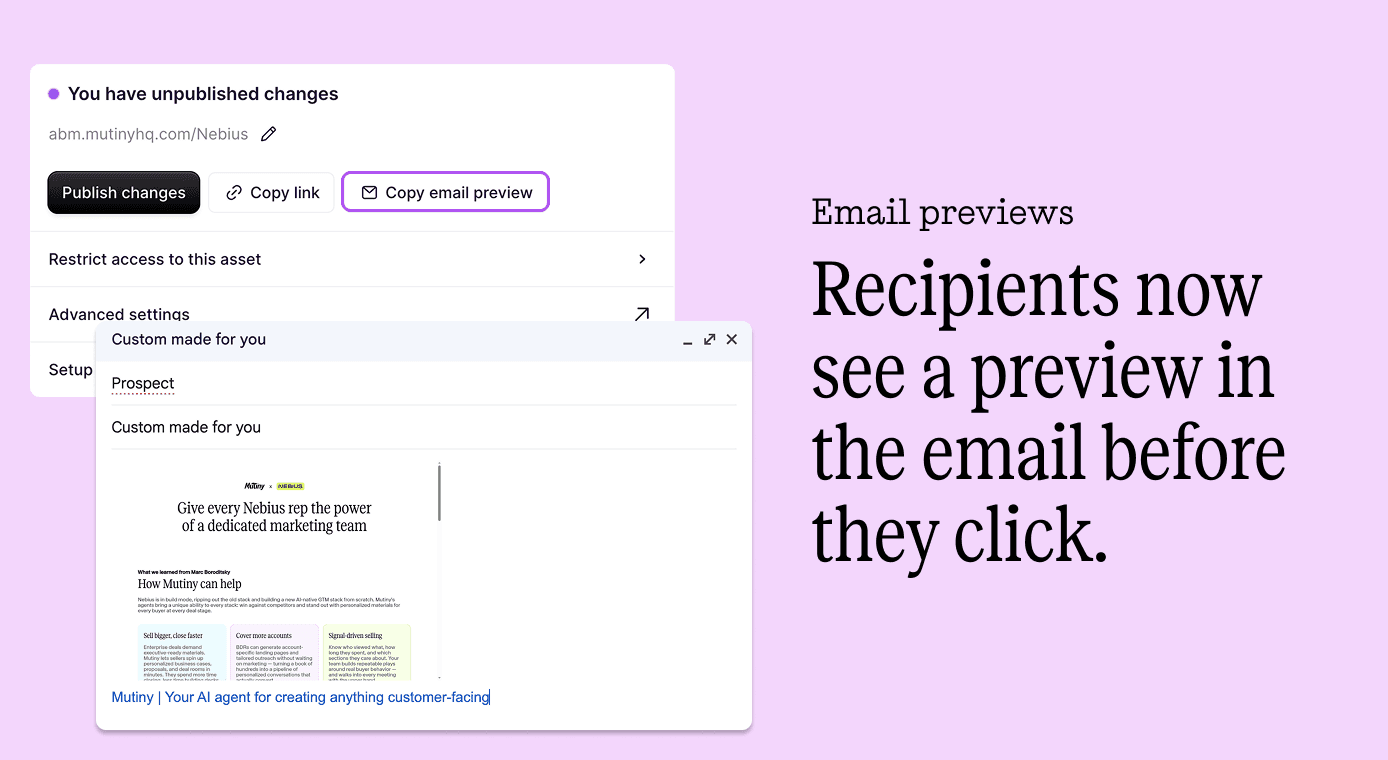
Introducing: Email Preview
You spent time building a personalized asset for a prospect - their name, their company, a hook written just for them - and then sent it as a blue link in a cold email. The recipient had no idea something custom was waiting on the other side.
What we built
When you build a personalized asset in Mutiny, you can now copy an email snippet that renders the top of your page as a preview image inside the email itself. Their name. Their company. The custom hook you wrote. All visible before they click anything.
Why it matters for GTM teams
Personalization only works if the recipient can see it. A generic link in an email tells them nothing. A preview image showing their own name and company signals something different: someone made this for me.
That's the moment the open rate problem becomes a reply rate opportunity. When the thoughtfulness is visible before the click, the click is more likely to happen, and the reply is more likely to follow. The effort you put into the asset finally gets credit at the moment it matters most.
Use cases
Cold outbound: attach an email preview to your first touch so prospects see the personalized page before they click.
Re-engagement: resurface a custom asset to a quiet account with a preview that reminds them you built something specific for them.
Multi-stakeholder deals: send the preview to a new contact at an existing account so they immediately see the work already done for their team.
Event follow-up: send a post-event asset with a preview so recipients know immediately that the content is tailored, not templated.